Your dashboards, made for your phone
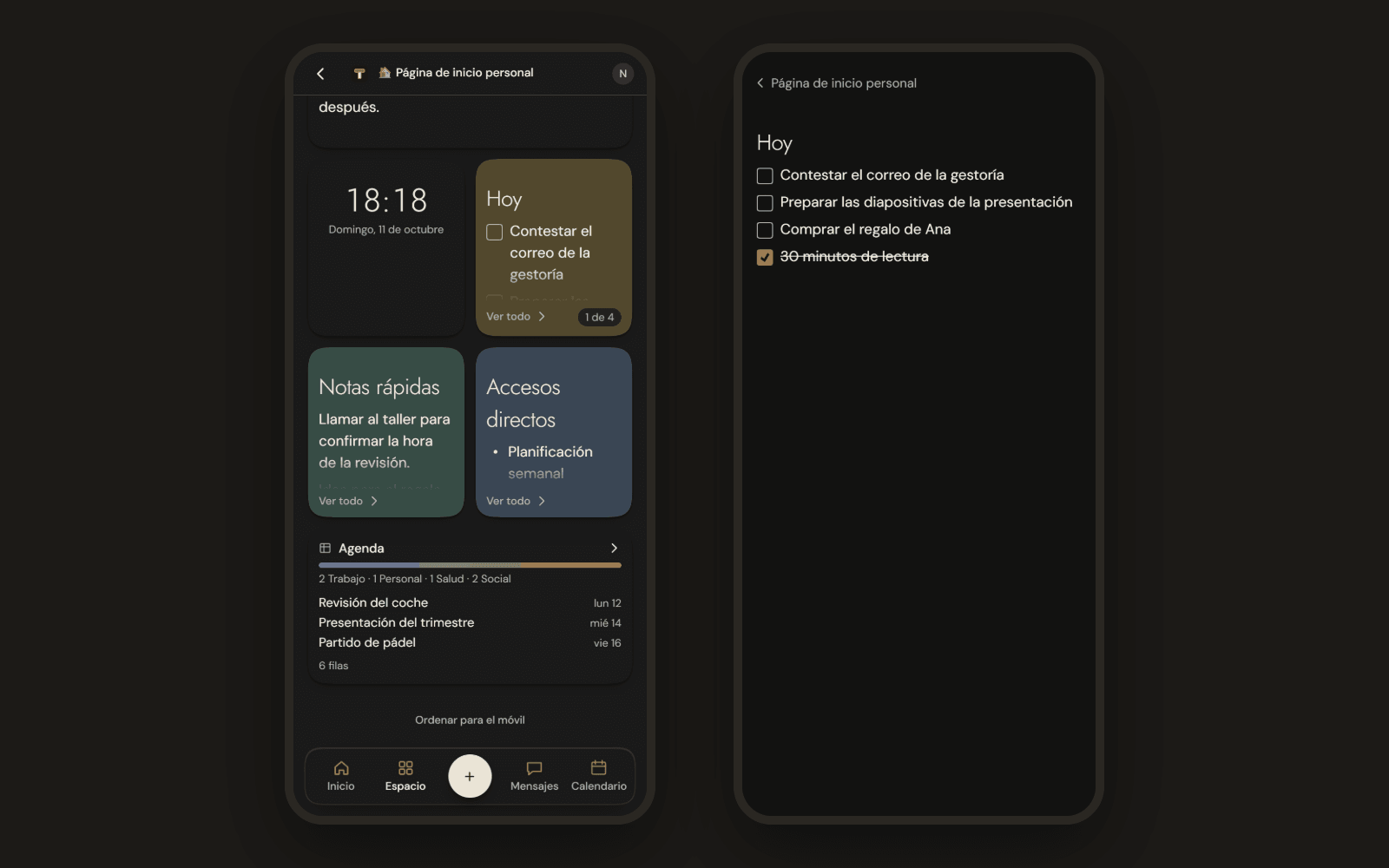
On your phone, dashboard pages now have their own view. Each magnet gets its own card, small ones two by two, and tapping one opens it full screen. You can also arrange them just for mobile.
New
- Small magnets. On your phone each magnet gets its own card. The clock, images, sections boxes and narrow highlights go two by two. Long text is trimmed with See all, and a database, board or whiteboard shows a summary.
- Full screen. Tap a magnet to open it big. To go back, tap ‹ with the page title.
- Arrange for mobile. At the end of the dashboard you can change the order on your phone and hide what you don't need there, without touching the dashboard on your computer. See On mobile.
Improvements
- YouTube and forms on mobile too. The YouTube magnet is a card that opens the video on YouTube, and the form magnet is filled in when you open it big.