A new Studio, with emojis, stickers and much easier to use
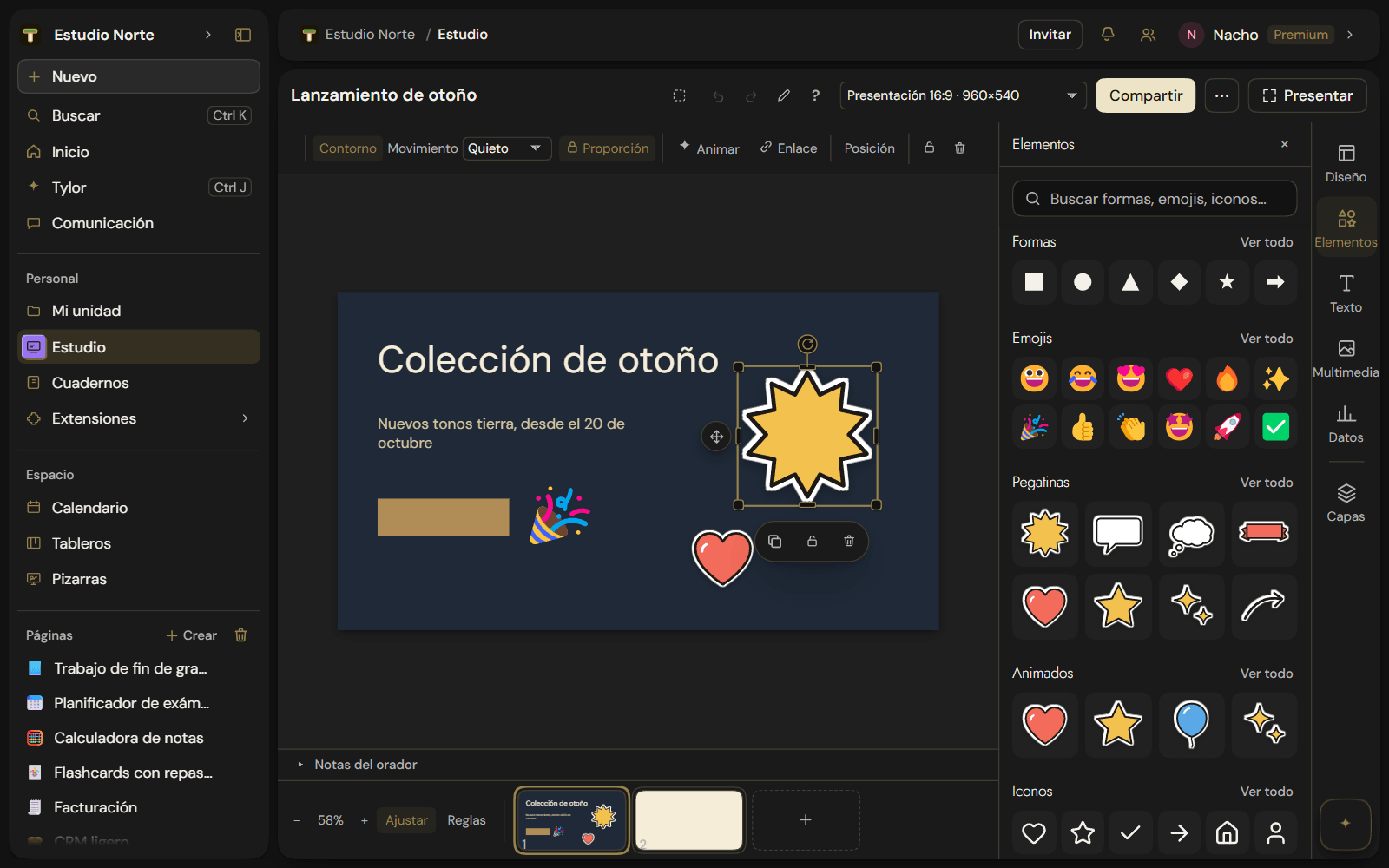
Studio is reorganized so everything is one or two clicks away. There are now emojis, stickers, icons and animations, eight handles to shape anything, and properties at the top, out of the way of what you're editing.
New
- Emojis, icons and stickers. Elements now has 1,591 emojis, 1,942 icons and 24 stickers with a white outline, with a search box at the top that searches everything at once. What you used last shows up first.
- Animated. Any element can move while it's on screen: float, pulse, sway, spin, bounce or glow. It's under Animate › While visible, and Elements › Animated has stickers and emojis ready to go.
- A clearer rail. Design, Elements, Text, Media, Data and Layers. Media shows your latest images so you can reuse them in one click. Batch now lives inside Data.
- Eight handles. Resize from any corner or side, even when the element is rotated, and see the size or angle as you go. With several elements selected, a shared frame scales them together.
Improvements
- Properties at the top. The selected element's options sit in a row above the canvas and no longer cover what you're editing. With nothing selected, that row shows the page settings: layout, palette, background and transition.
- Drag images. Images move by dragging them, like any element. You can also drop images from your computer straight onto the canvas.
- More shortcuts. T adds text, holding Alt while dragging duplicates, Ctrl+G groups, Ctrl+] and Ctrl+[ reorder layers, and Tab cycles through elements. Press ? to see them all.
- Nothing gets lost. If you go offline, the header shows Not saved and your changes save on their own when you're back online.
- Fixed: an element moved several times in a row could jump back to an earlier position when you deselected it.
See Studio.